
Trunking.io — STIR/SHAKEN
This article explains how to obtain a STIR/SHAKEN certificate and enable the related services provided by Trunking.io.
In 2021, the FCC introduced the STIR/SHAKEN requirements, and beginning in July 2025, it clarified that resellers will no longer be allowed to share certificates. Each reseller must get and use its own unique certificate to authenticate its calls. This change helps ensure accountability, so every provider in the call chain can be traced and verified, making it harder for spam or scam calls to slip through.
You need a STIR/SHAKEN certificate if you are a reseller. You do not need a STIR/SHAKEN certificate if you are an end-user and do not resell telecom services.
How STIR/SHAKEN works?
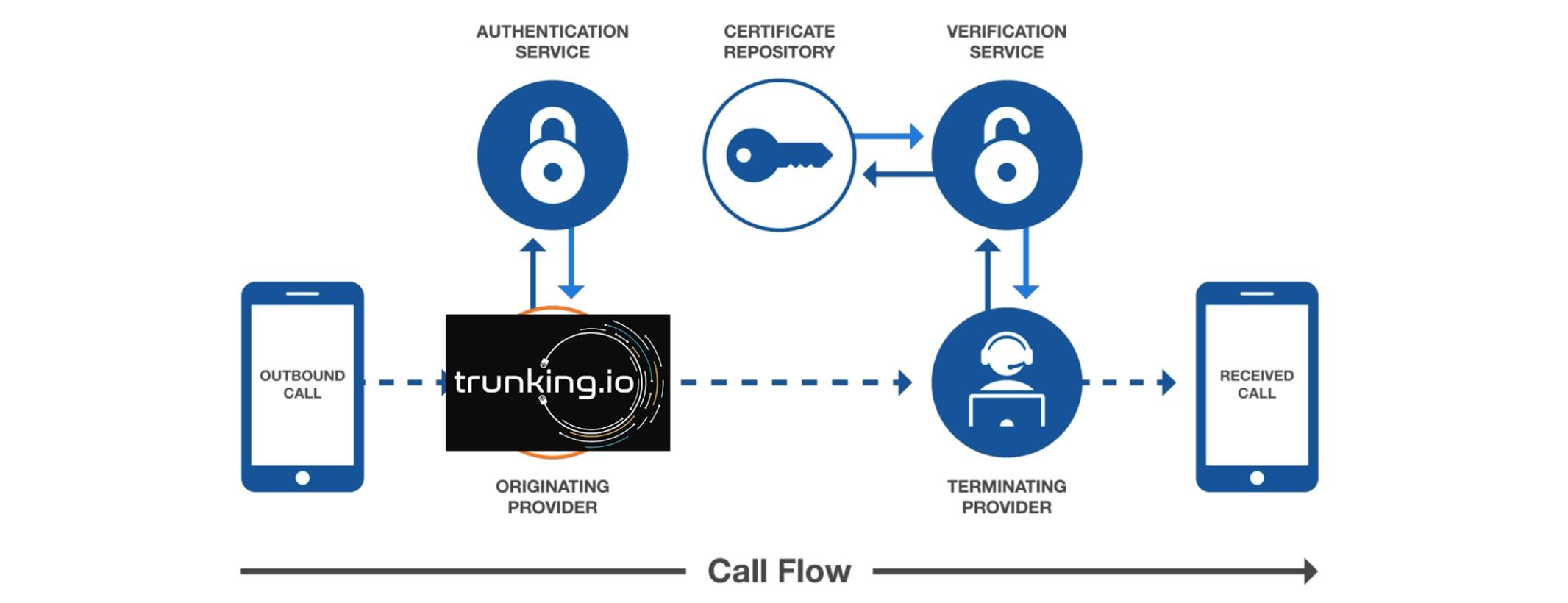
The call flow begins when a user places a call through their telephone service provider. The provider checks whether the calling party is actually authorized to use the specified phone number.
If everything is in order, the Authentication Service generates a digital signature, token, confirming the authenticity of the number and attaches it to the SIP-header of the call.
This signature is created using a digital certificate issued by a certification authority accredited under the STIR/SHAKEN framework. The call, now carrying the digital signature, is transmitted across the network to the Terminating Provider, the provider serving the call recipient.
The receiving provider uses a Verification Service to validate the signature. It checks the certificate against the central certificate database to ensure that the signature indeed belongs to a trusted provider and has not been tampered with.
If the verification is successful, the system marks the call as verified, and the recipient’s phone may display a message such as “Verified Caller”, “Caller Verified”, or show a shield icon.
If the signature fails verification or is missing, for example, because the certificate is expired, forged, or the call originates from a network where STIR/SHAKEN is not implemented, the call is still delivered, but it may be flagged as “Spam Likely”, “Unverified Number”, “Potential Fraud”, or something similar.
Steps to obtain a STIR/SHAKEN certificate
Note: if your organization does not resell telco services, you are not required to obtain a STIR/SHAKEN certificate. In this case, select the “End User” option when signing up for Trunking.io services.
The process of getting a STIR/SHAKEN certificate involves four steps:
- Getting a FCC 499 Filer ID.
- Obtaining an OCN number.
- Completing the STI-PA registration.
- Choosing a Certificate Provider to issue your STIR/SHAKEN certificate.
After completing these steps, register in Trunking.io, upload the certificate and private key you’ve received earlier, and go through the verification process. Once verified, your service will be activated.
Getting a FCC 499 Filer ID
An FCC 499 Filer ID is a unique identification number assigned by the Federal Communications Commission (FCC) to companies that provide telecommunications services in the United States.
To get your FCC-499 Filer ID, go to the FCC Registration System (CORES) website and follow the registration steps.
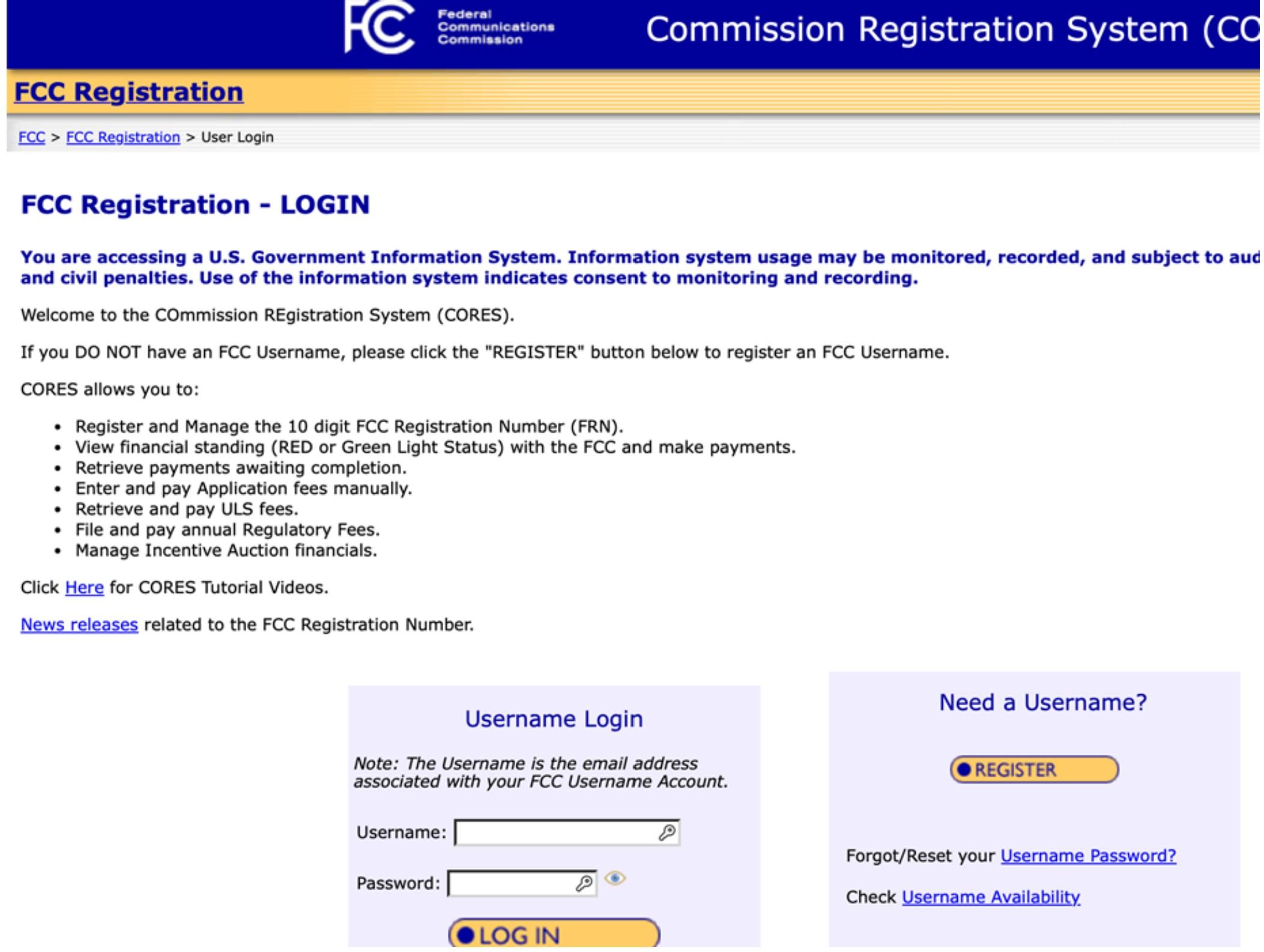
During this process, you will:
- Create an FCC username (if you don’t already have one).
- Log in to CORES using that username.
- Register your business entity, providing basic information such as legal business name, address, contact details, and tax identification information.
- Receive an FCC Registration Number (FRN) once the business is created in the system.
- File Form 499-A or 499-Q for the first time, which then generates your FCC-499 Filer ID
After submitting all the required forms, your FCC 499 Filer ID will be issued immediately or later the same day.
Obtaining an OCN Number
An OCN (Operating Company Number) is a unique four-digit code assigned by NECA to identify telecom carriers and VoIP providers for routing, billing, and regulatory purposes.
To obtain an OCN number, visit the National Exchange Carrier Association (NECA) website using this link. On the website, you can choose between submitting your request online or using the printable (offline) form; however, the following instructions apply only to the online submission process. Although this online form is fairly long, it’s straightforward to complete.
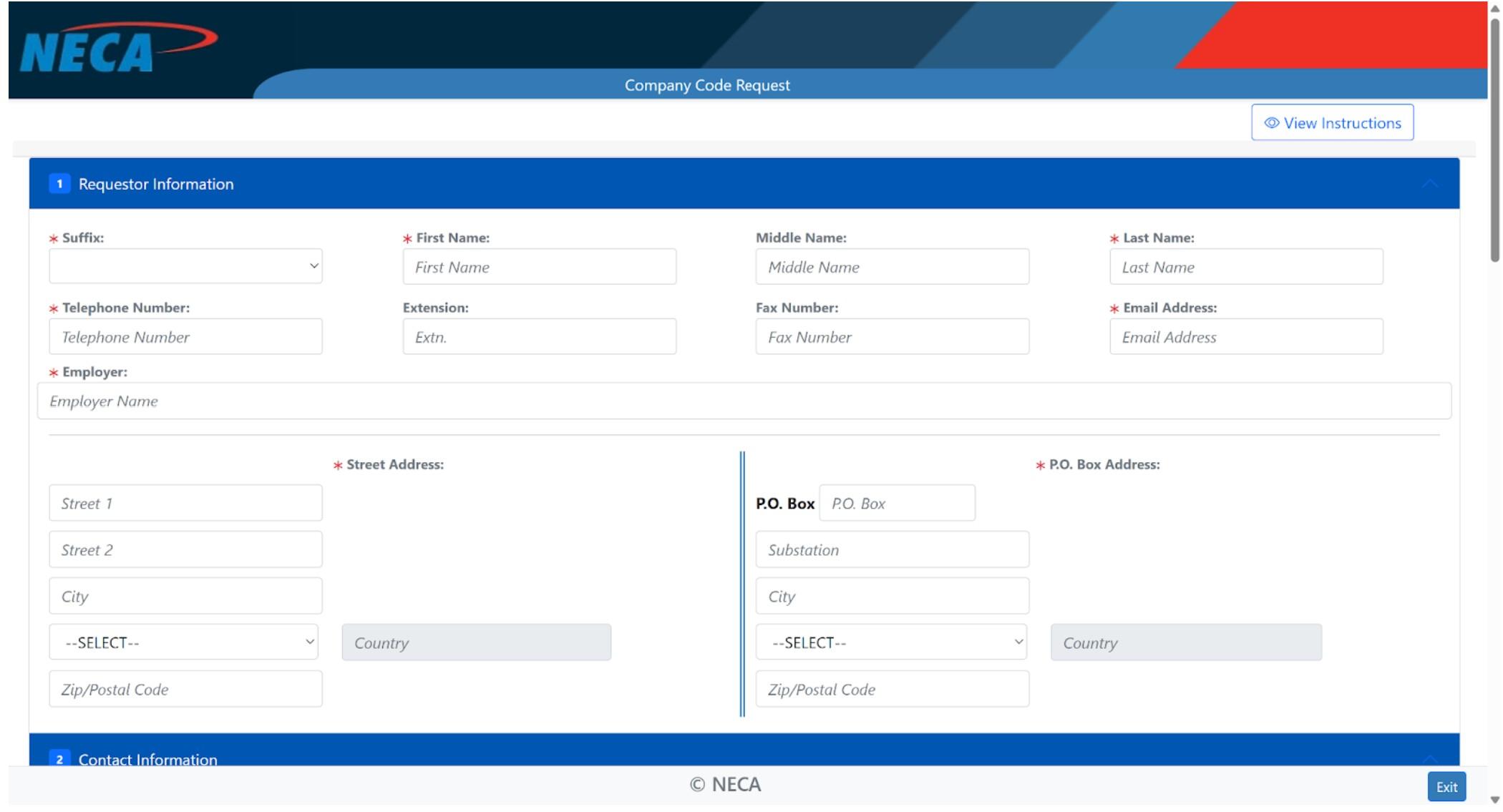
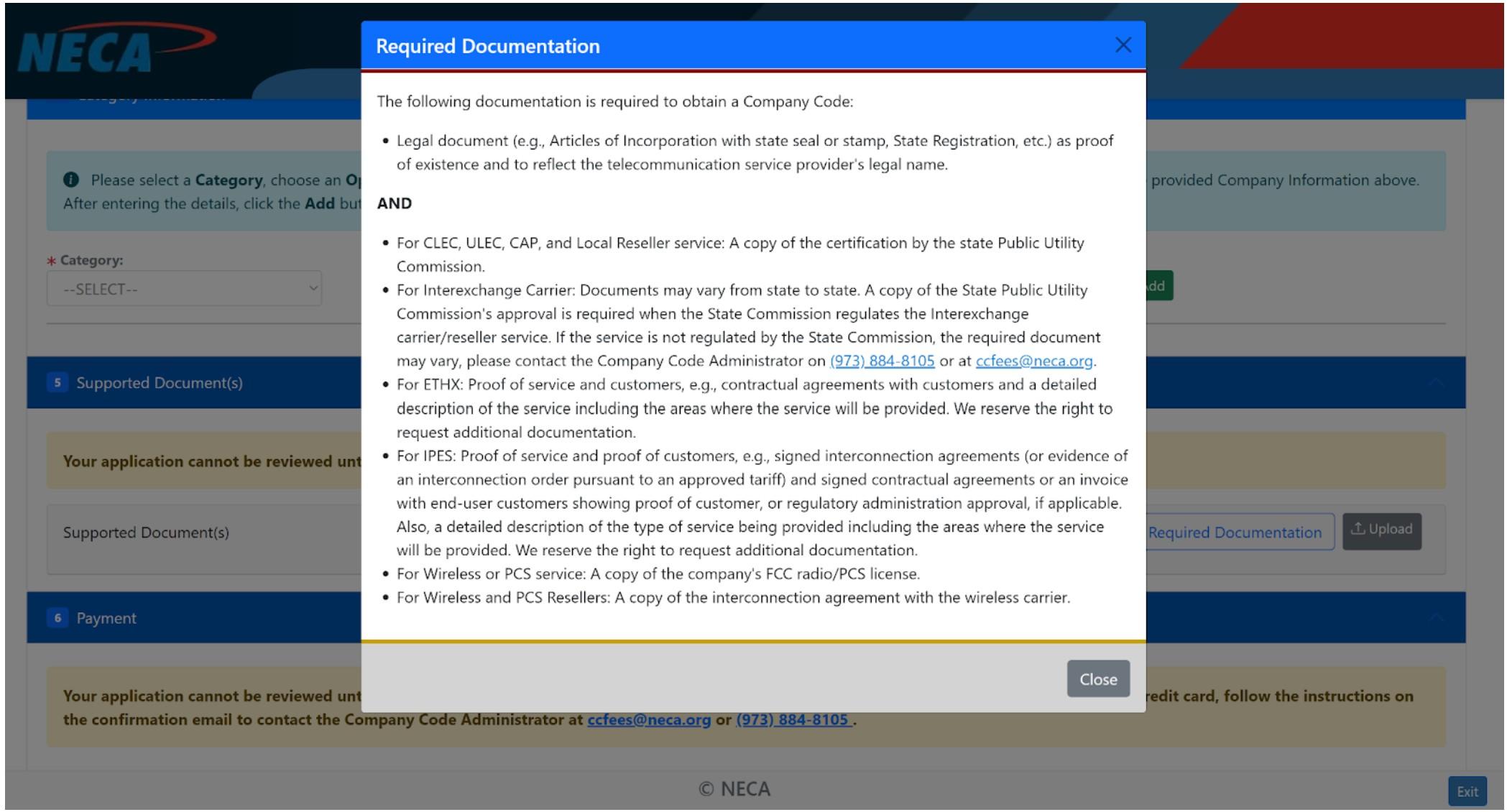
Keep in mind that you’ll need to attach several supporting documents, a list of which you can review by clicking the “View Required Documentation” button.
The average processing time for obtaining an OCN number is about 10 business days. NECA also offers expedited processing within three business days for a slightly higher fee.
Сompleting the STI-PA Registration
STI-PA (Secure Telephone Identity Policy Administrator) Registration is the process by which a telecom provider gets authorized to participate in the STIR/SHAKEN framework, allowing it to obtain certificates for authenticating and verifying calls.
Next, complete the STI-PA registration by visiting the iconectiv Authenticate website and navigating to the Provider Registration page. On this web page, you’ll see a diagram outlining the overall process. Once you’ve reviewed it, click the “Begin Registration” button to get started.
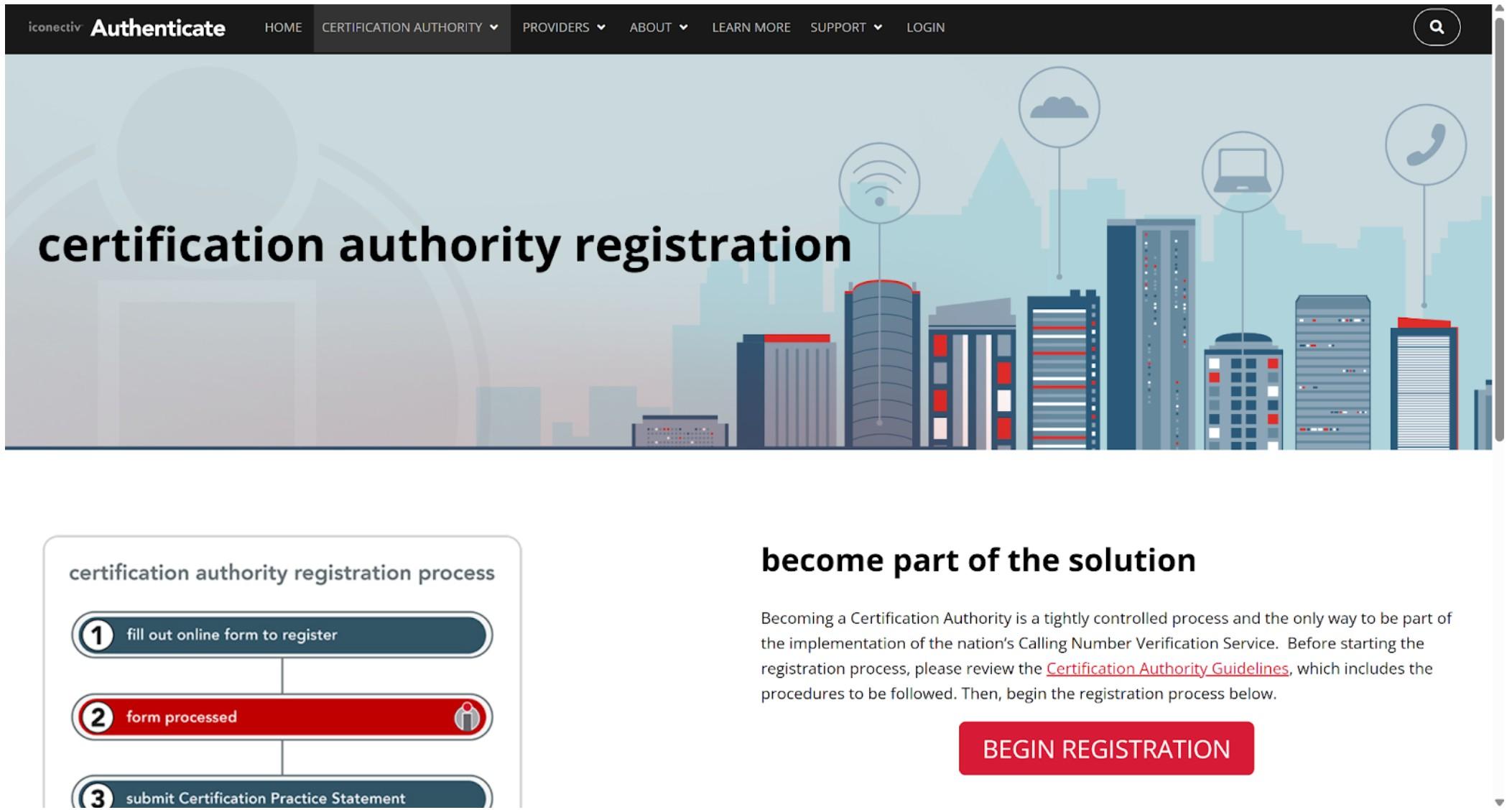
The online form is brief, and shortly after you submit it, the Customer Support team will reach out via email with further instructions on how to access the system and complete the steps outlined in the process diagram on the previous page.
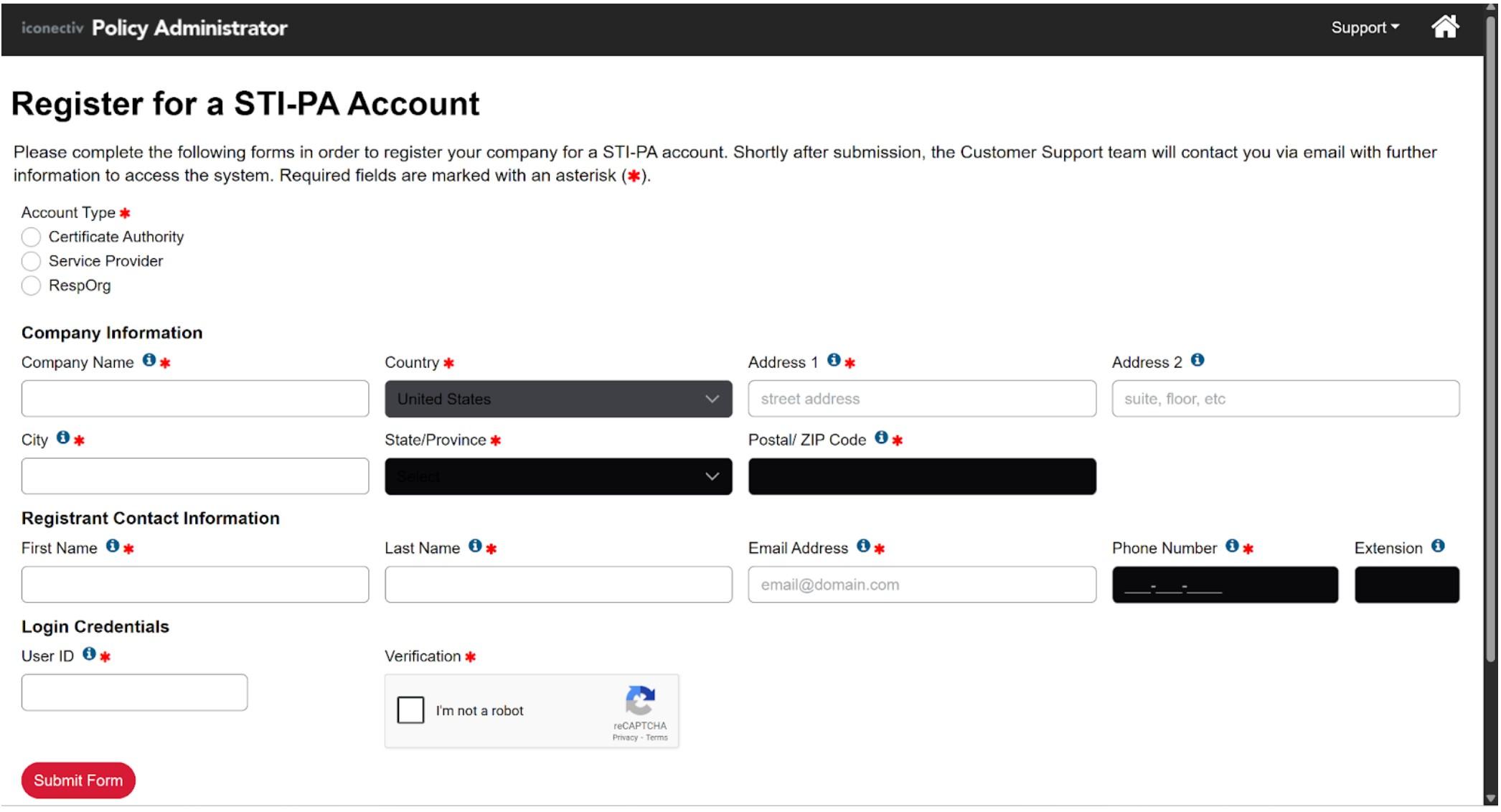
The STI-PA registration process typically takes between 3 and 5 business days.
Choosing a Certificate Provider
The last step in obtaining a STIR/SHAKEN certificate is choosing a Certificate Provider.
A Certificate Provider (also called a Certificate Authority) is an organization authorized to issue digital certificates that verify the identity of telecom providers within the STIR/SHAKEN framework.
There are several options available, such as TransUnion or PeeringHub, but we recommend PeeringHub due to its straightforward registration process.
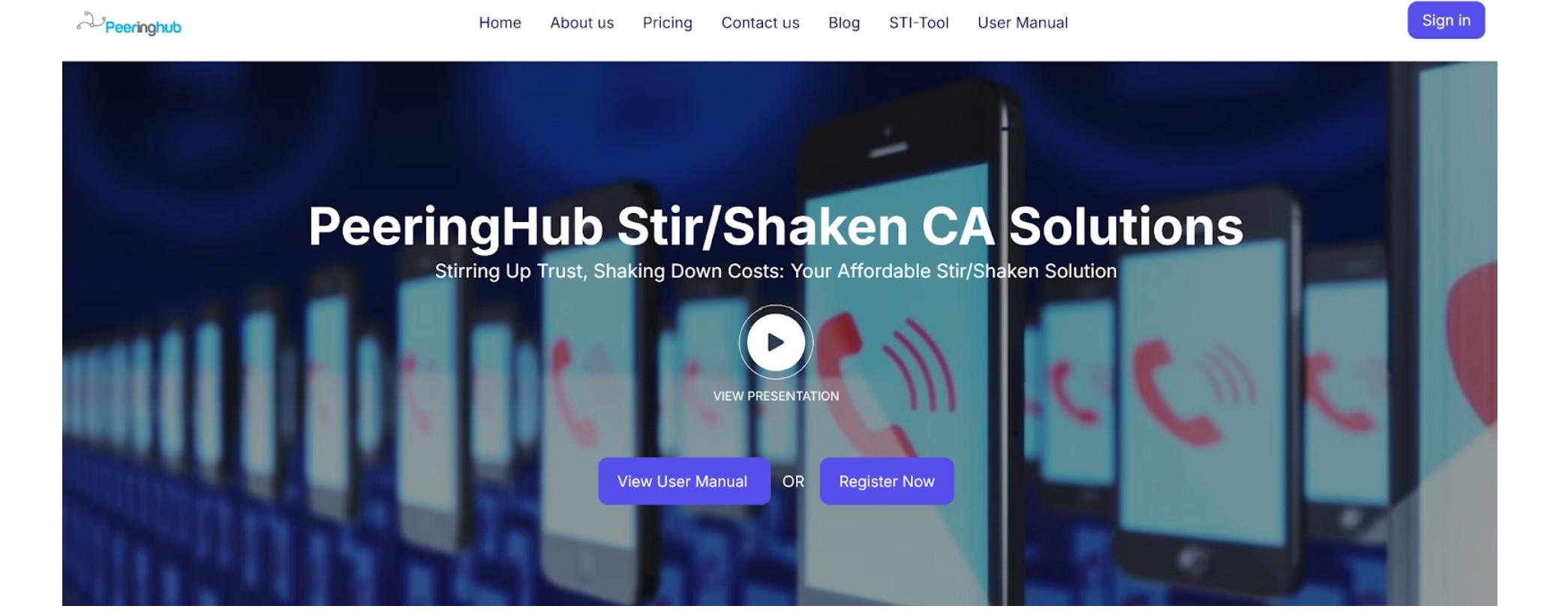
To proceed, visit the PeeringHub.io website and click the “Register Now” button.
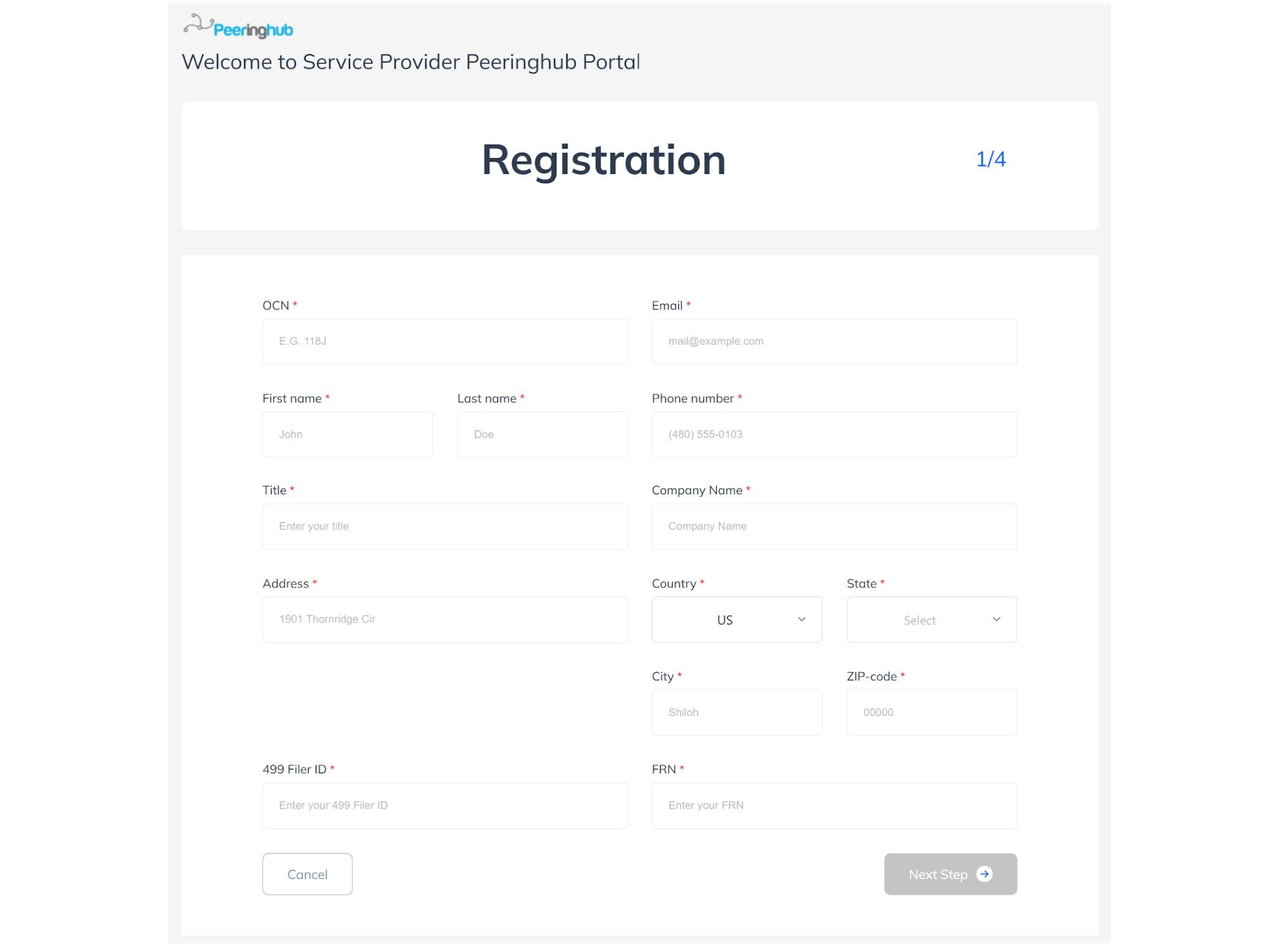
You’ll be taken to a simple online form to fill out.
After you’ve paid the registration fees, met all prerequisites, and received approval from your selected Certificate Provider, your certificate will be issued almost immediately upon submitting the order. You’ll receive your STIR/SHAKEN certificate as a .ZIP or .RAR archive.
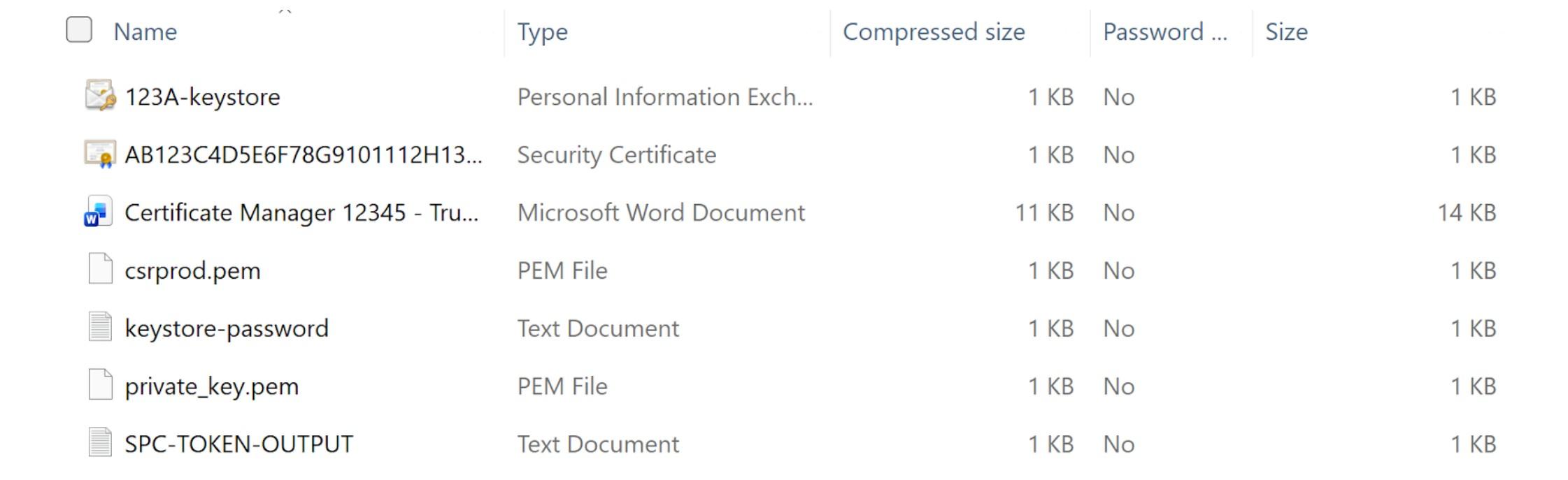
Uploading the STIR/SHAKEN Certificate to Trunking.io
The final step is to log in to Trunking.io to upload the certificate and activate the service.
If you don’t have a Trunking.io account, please refer to the corresponding article on signing up in the system, as it is too detailed to include here.
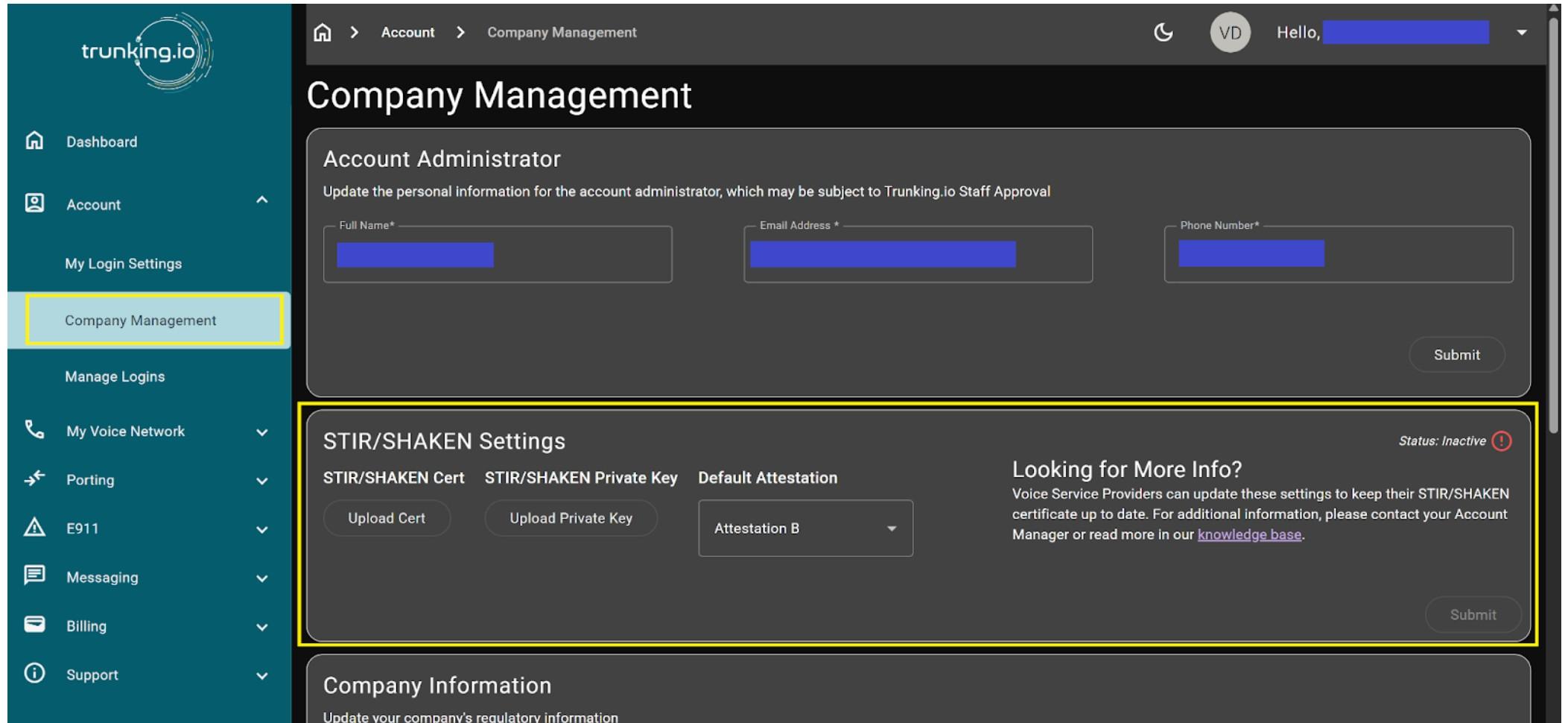
To upload the STIR/SHAKEN certificate and public key you received from your Certificate Provider earlier, expand the Account menu on the left-hand side of the portal and select the Company Management tab. On the page that opens, locate the STIR/SHAKEN Settings section.
Now, you need to open again the archive file you got from the Certificate Provider. For uploading it into Trunking.io, you’ll only need two files: the security certificate and public key files, as shown in this screenshot.
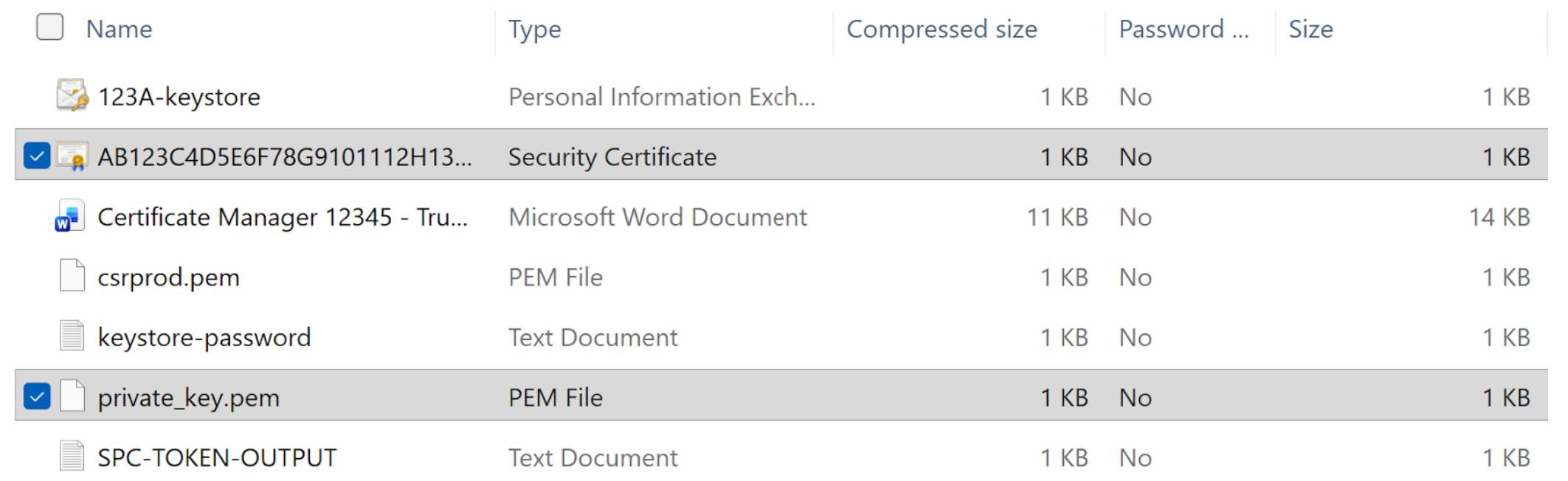
Click the “Upload Cert” button to upload the security certificate. Then click the “Upload Private Key” button to upload the private key.

Finally, click the “Submit” button to send the documents for processing.

Once you upload your STIR/SHAKEN certificate, Trunking.io will begin signing their calls with that certificate within a couple of minutes. The verification process is almost instantaneous upon upload. Once your service is activated, you’ll receive an email notification. At that time, your outbound calls will be switched over, but inbound calls will not be affected.
To learn more about activating inbound services, refer to the corresponding section in the “Account Setup” article.
Remember, we’re always here to help, even if there were mistakes during registration or setup. If you have any questions or run into issues, feel free to reach out to our support team via this link.